Travel data on your phone, about a minute after you buy
The Vayufly app sells prepaid data plans for 204 countries and regions. Pick a destination, pay, install. Your own number stays where it is, and the roaming bill never arrives.

Google Play and the Google Play logo are trademarks of Google LLC.
Prefer the browser? You can buy an eSIM on the website without installing anything.
What the app does
Buying, installing and watching your data, in one place.
Plans from $0.60
3,000+ prepaid plans across 200+ destinations, from 100 MB for a day to long-stay data for three months.
Keep your own number
The eSIM adds a data line next to your existing SIM. Calls and texts stay on your usual number.
Ready in about a minute
Buy before you fly or after you land. Your install code appears in the app and in your inbox.
Usage you can see
Data left and days remaining at a glance, with alerts before you run low or the plan expires.
Pay the way you already do
Cards, UPI and wallets through Razorpay, with prices shown in your currency before you pay.
Refundable if unused
An eSIM you never installed can be refunded within 7 days. The refund policy sets out the detail.
Four steps, start to finish
Buying a plan is not the same as downloading the app. The app is free; you pay only for the data plan you choose.
- 1
Pick a destination
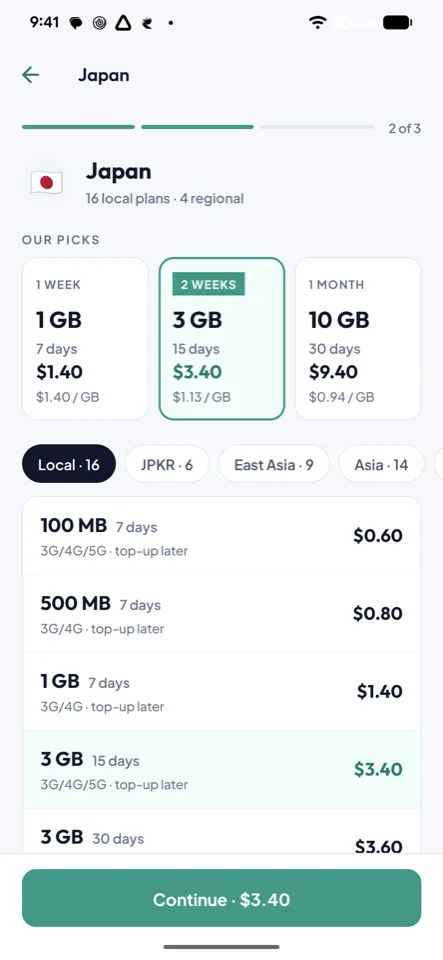
Search the country you are travelling to and compare plans by data, validity and price.
- 2
Pay
Card, UPI or wallet. Buying in the app takes an account; the website also allows guest checkout.
- 3
Install
One tap on a recent iPhone or Android phone, or scan the QR code from another device. Installing needs an internet connection, and an eSIM installs once.
- 4
Land online
Turn on data roaming for the travel eSIM when you arrive. Your home line keeps your number.
Inside the app
-
Compare plans by data, days and price
-
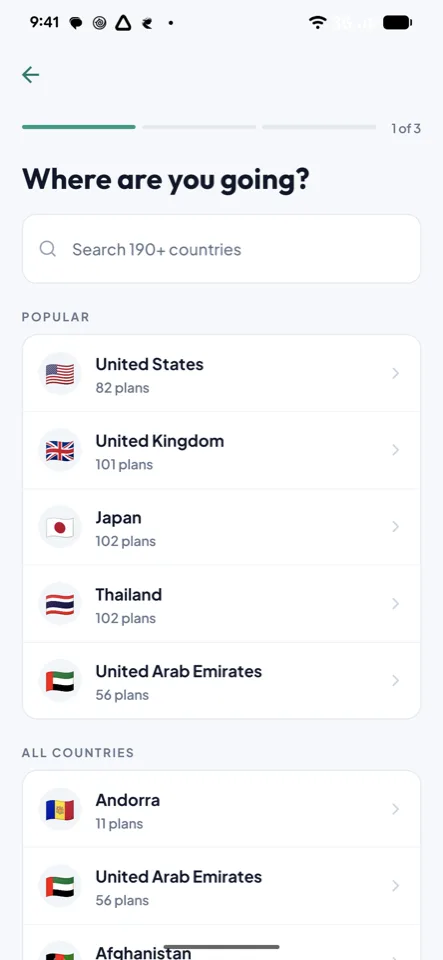
Search 190+ destinations
-
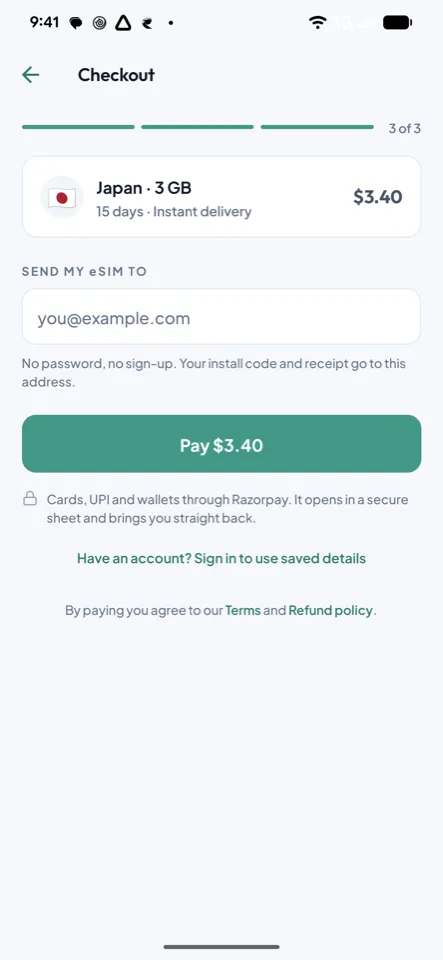
Pay by card, UPI or wallet
-
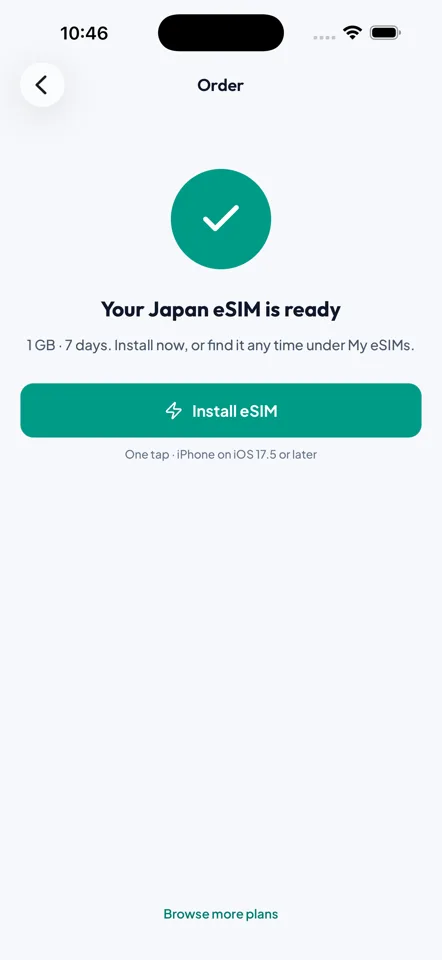
Your eSIM, ready to install
-
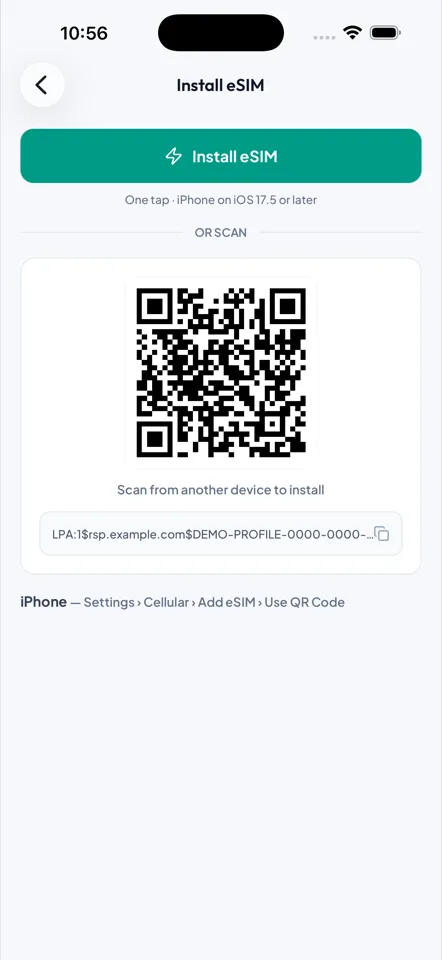
Install with one tap, or scan
Will it work on your phone?
A travel eSIM needs an eSIM-capable, carrier-unlocked phone. Most phones sold since 2019 qualify, including iPhone XS and later and recent Pixel, Samsung and Motorola models. Dial *#06#: if an EID appears, your phone supports eSIM.
Two rules worth knowing before you buy. Installing an eSIM needs an internet connection, so do it on Wi-Fi before you fly or on arrival airport Wi-Fi. And an eSIM profile installs once, so do not delete it from your phone while you still need the data.
Check your phonePopular destinations
Prices and plan counts come straight from the live catalogue, so what you see on the website is what the app sells.
App questions
Is the app free?
Which phones can use a travel eSIM?
Do I lose my own number?
How do I install it?
When should I buy?
What if I have no data after landing?
Can I get a refund?
More answers on the FAQ page.
Get the app before your next trip
Free to download. Browse plans without an account, and buy when you are ready.
Google Play and the Google Play logo are trademarks of Google LLC.